
Setup & Alignment is the central entry point for ONSTEP parameters and alignment functions. The page is divided into Setup and Alignment, with each specialized workflow opened from here.
TIP
Complete the connection steps in Quick Start first. When the mount is disconnected, some states cannot be read, and setup changes or alignment commands cannot be sent to ONSTEP.
Open Setup & Alignment
- Open the Device screen from the bottom navigation, find the Mount Info heading, then tap the gear icon on its right.
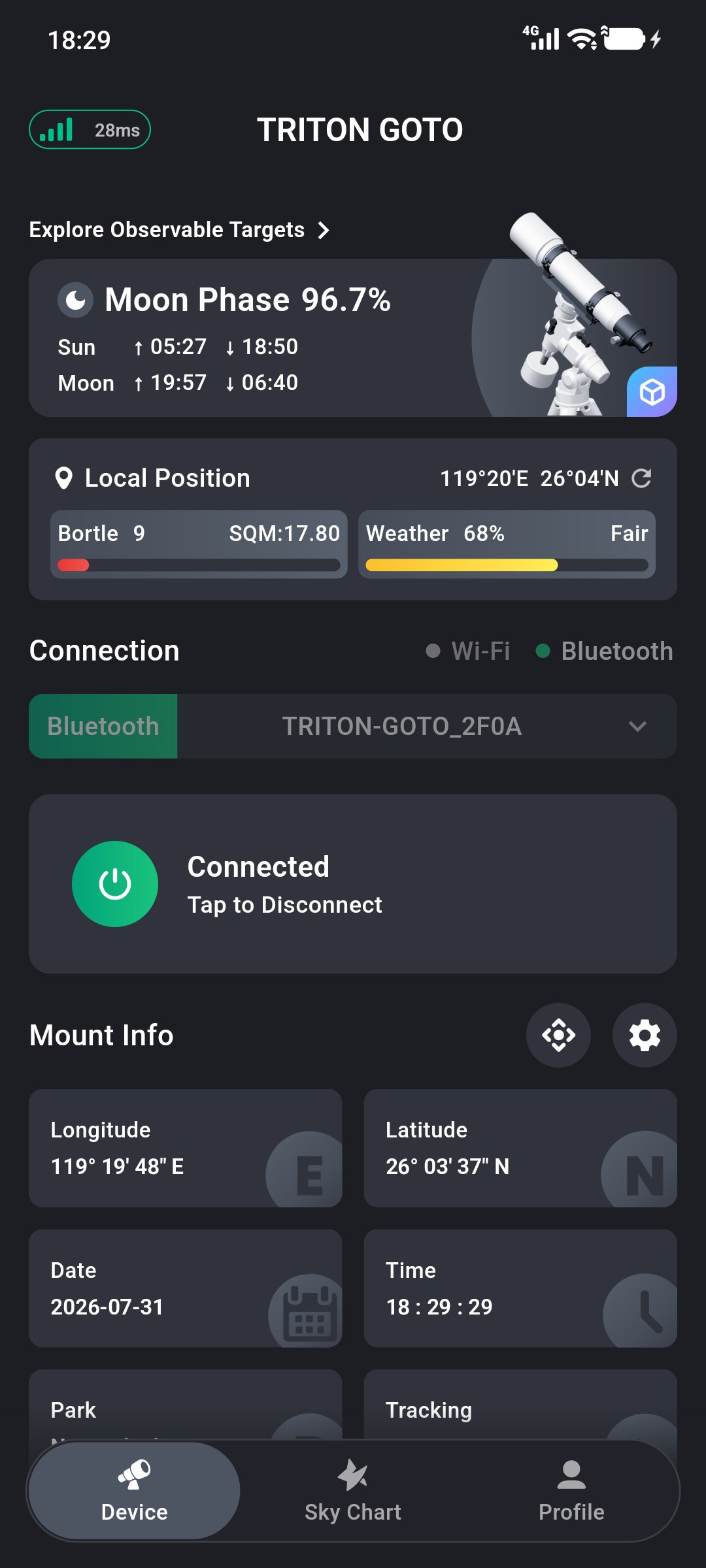
1
Page Structure
The upper Setup section changes the mount time, limits, and operating parameters. The lower Alignment section builds a pointing model, corrects polar alignment error, or provides a polar-scope reference.
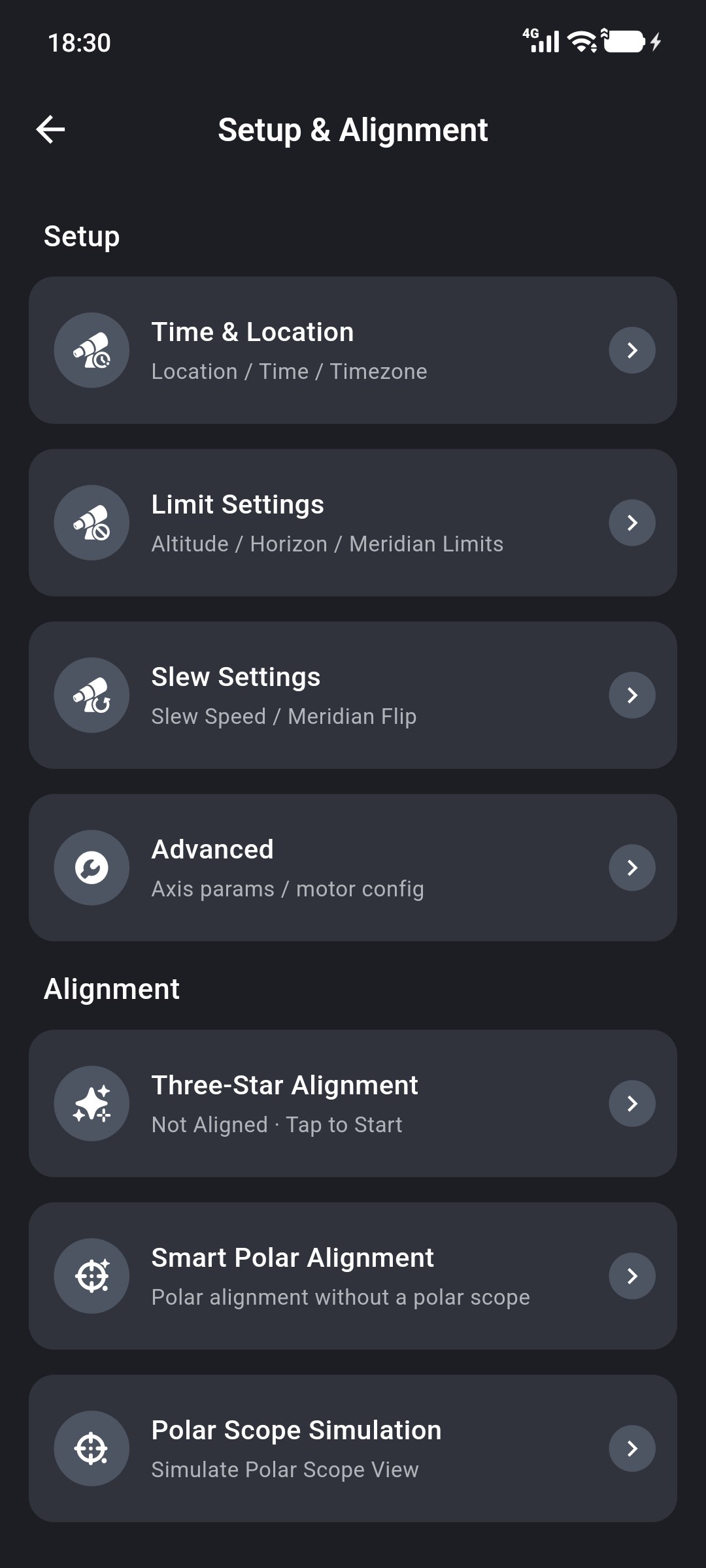
Setup
- Time & Location: Set the observing location, time, and time zone used by ONSTEP. See Time and Location Settings.
- Limit Settings: Set altitude, horizon, and east and west meridian limits. See Limit Settings.
- Slew Settings: Set GOTO speed, automatic and manual meridian flips, and the preferred pier side. See Slewing and Meridian Flips.
- Advanced: Configure axis parameters and motor settings. Incorrect values can cause abnormal mount operation. Change them only when you understand the mount hardware configuration and the relevant ONSTEP parameters.
Alignment
- Three-Star Alignment: Use the interactive Sky Chart to select three stars and complete the guided alignment workflow. See Three-Star Alignment.
- Smart Polar Alignment: Calculate polar alignment error from the three-star alignment result, then adjust the mount base to move the alignment star to the center of the eyepiece field. This workflow does not require an optical polar scope. See Smart Polar Alignment.
- Polar Scope Simulation: Simulate the reference position of Polaris in an optical polar-scope field to assist with polar alignment. See Polar Scope Simulation.