
After connecting to ONSTEP, use the TRITON GOTO control panel to move the telescope and configure slew rate and tracking.
Open Device and tap the control icon to the right of Mount Info.
Before you begin
For first-time use, operate the mount with no payload attached. Before moving it, confirm that the axes, optical tube, counterweights, and cables are safe, then use a low slew rate while learning the direction controls.
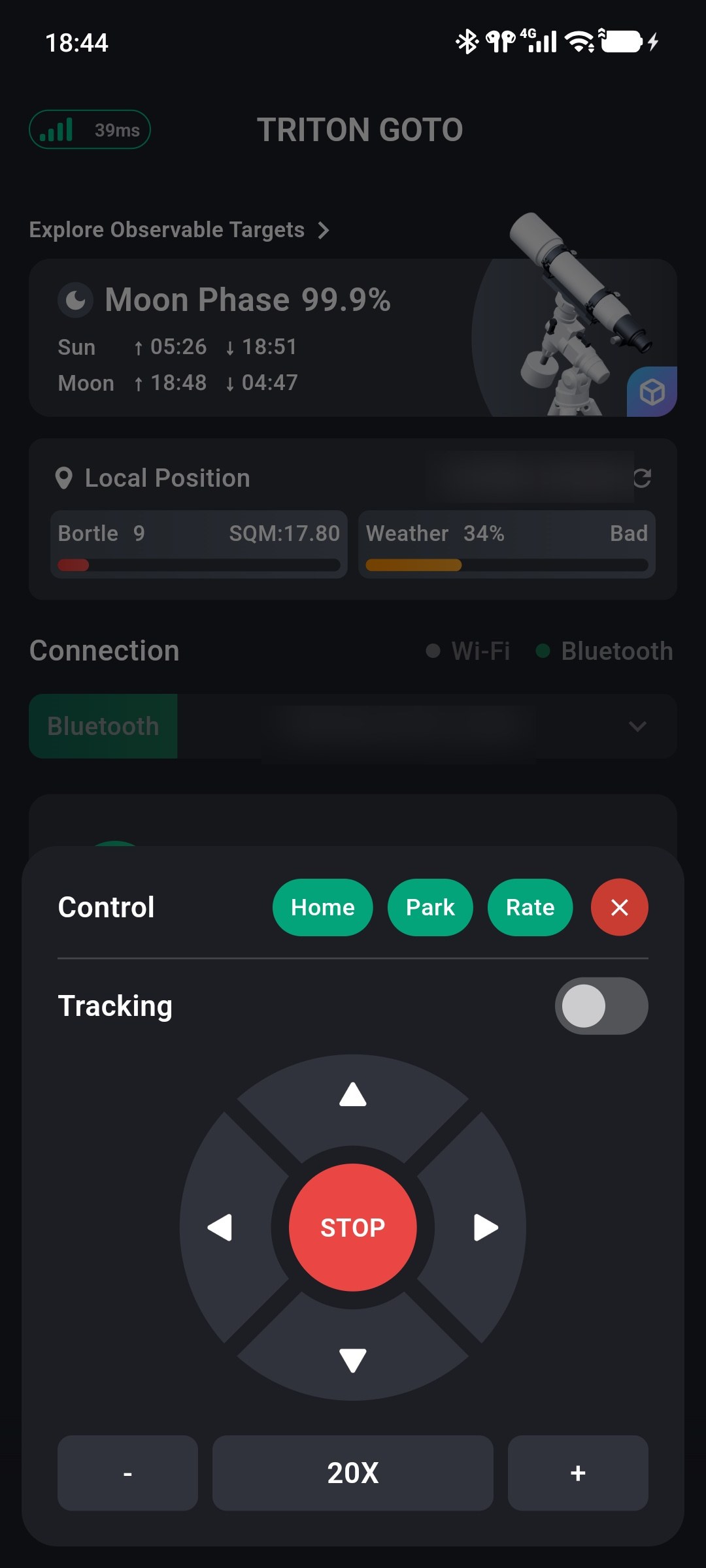
Move with the Direction Controls
The central controls move the telescope east, west, north, or south.
- Press and hold a direction to move continuously.
- Release it to stop movement in that direction.
- Tap STOP in the center to stop the current manual movement immediately.
Configure the east/west arrangement under Profile → Preferences → Button Direction.
While the mount is moving
Continuously observe the optical tube, counterweights, and cables. If movement is not as expected or presents a collision risk, release the direction control and tap STOP immediately.
Adjust the Slew Rate
The current slew rate appears at the bottom of the panel. Tap − to reduce it or + to increase it.
Available rates are:
0.25X, 0.5X, 1X, 2X, 4X, 8X, 20X, 48X, 1/2MAX, and MAX.
Low rates are suitable for fine centering in an eyepiece or camera; high rates are suitable for larger manual movements. Start at a low rate during first operation.
Tracking State
The Tracking switch enables or disables ONSTEP tracking. When enabled, the mount moves continuously at the configured tracking rate to compensate for Earth's rotation. When disabled, automatic tracking stops.
Manual direction movement does not change this switch. After manual adjustment, the mount resumes using the current tracking state.
Set Tracking and Guide Rates
Tap Rate at the top of the control panel to open rate settings.
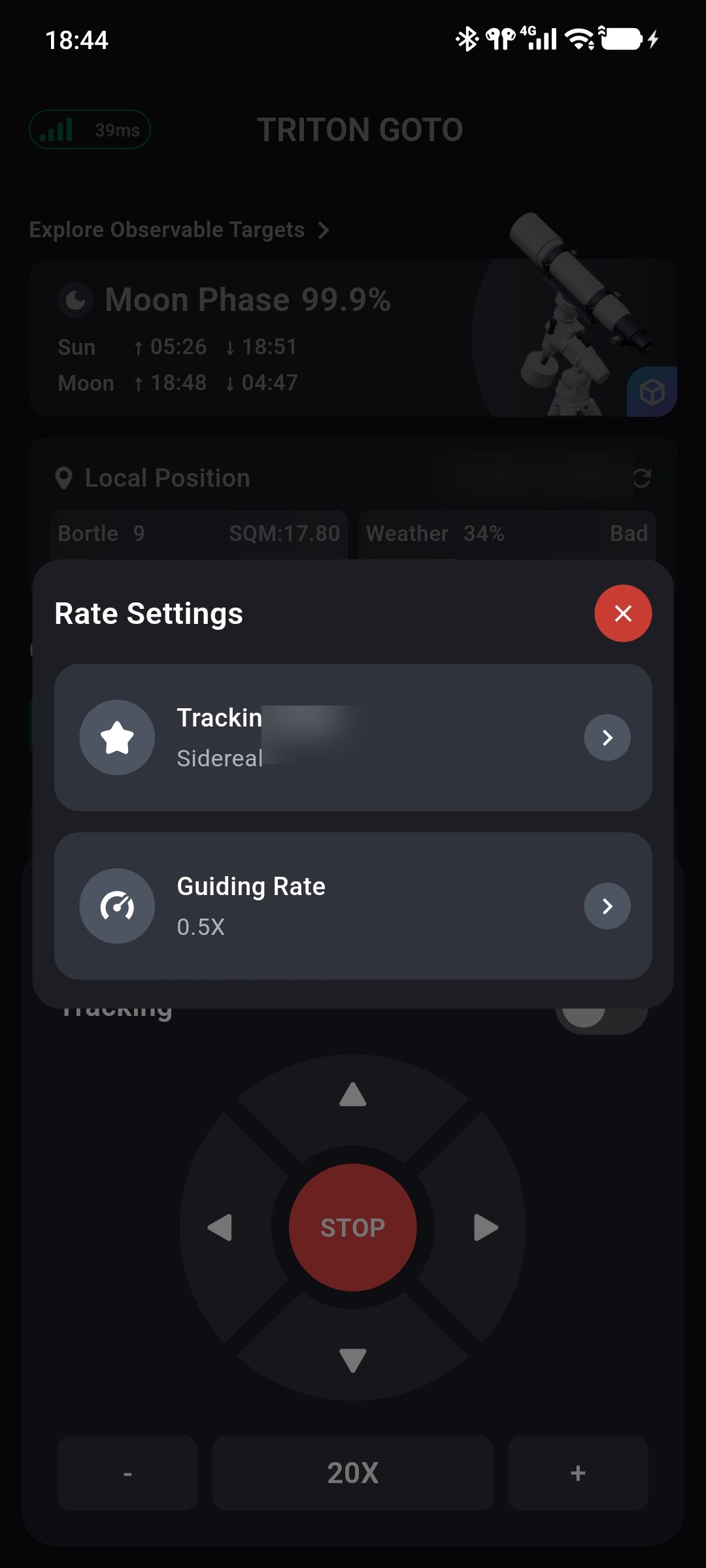
- Tracking Rate: Select sidereal, lunar, or solar tracking.
- Guide Rate: Select the low-speed correction rate:
0.25X,0.5X, or1X.
Tracking rate, guide rate, and the manual slew rate at the bottom of the panel serve different purposes. Manual slew rate controls movement while a direction is held; tracking rate controls automatic celestial tracking.
Home and Park Operations
Home and Park are available at the top of the panel.
Home Operations
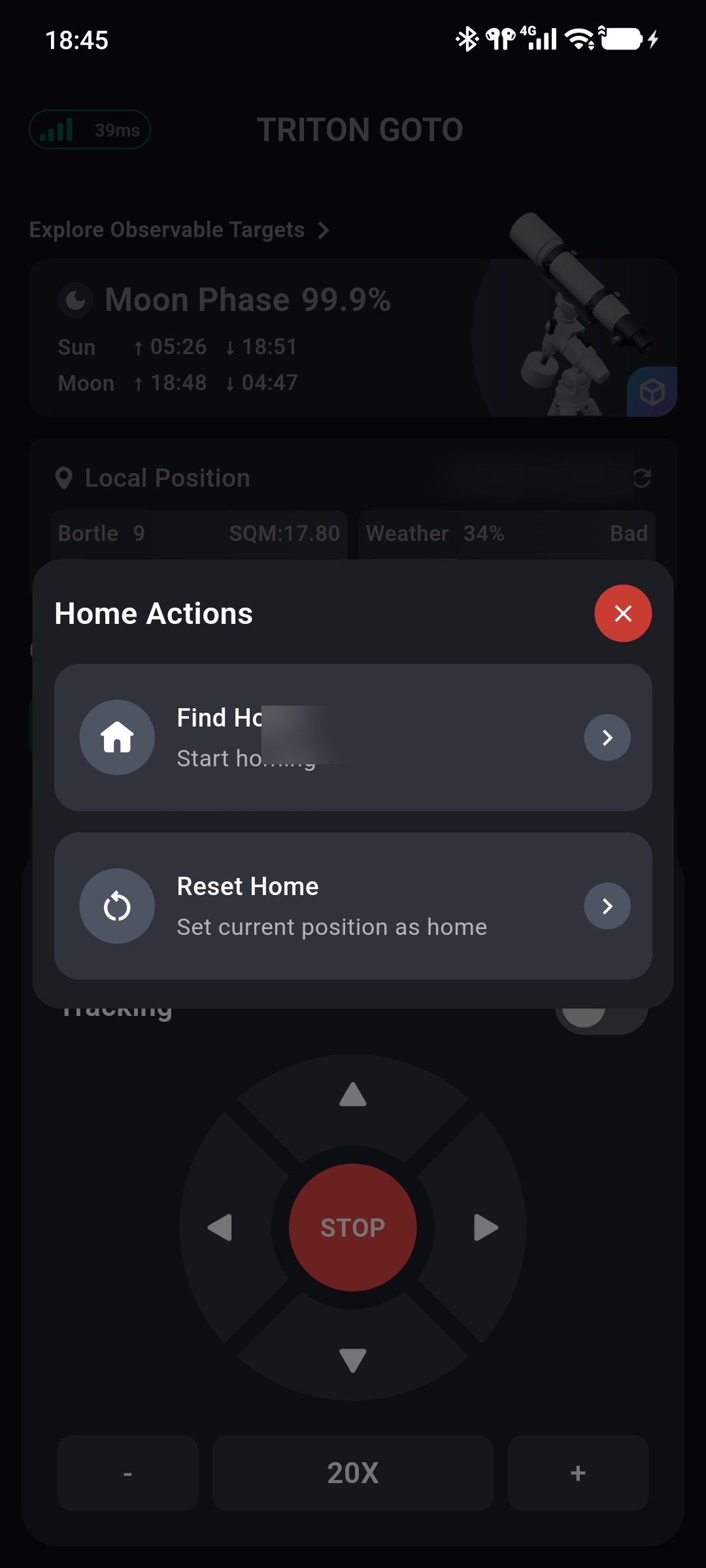
Tap Home to select:
- Find Home: Automatically move the mount to home.
- Reset Home: Set the current position as the new home position.
Park Operations
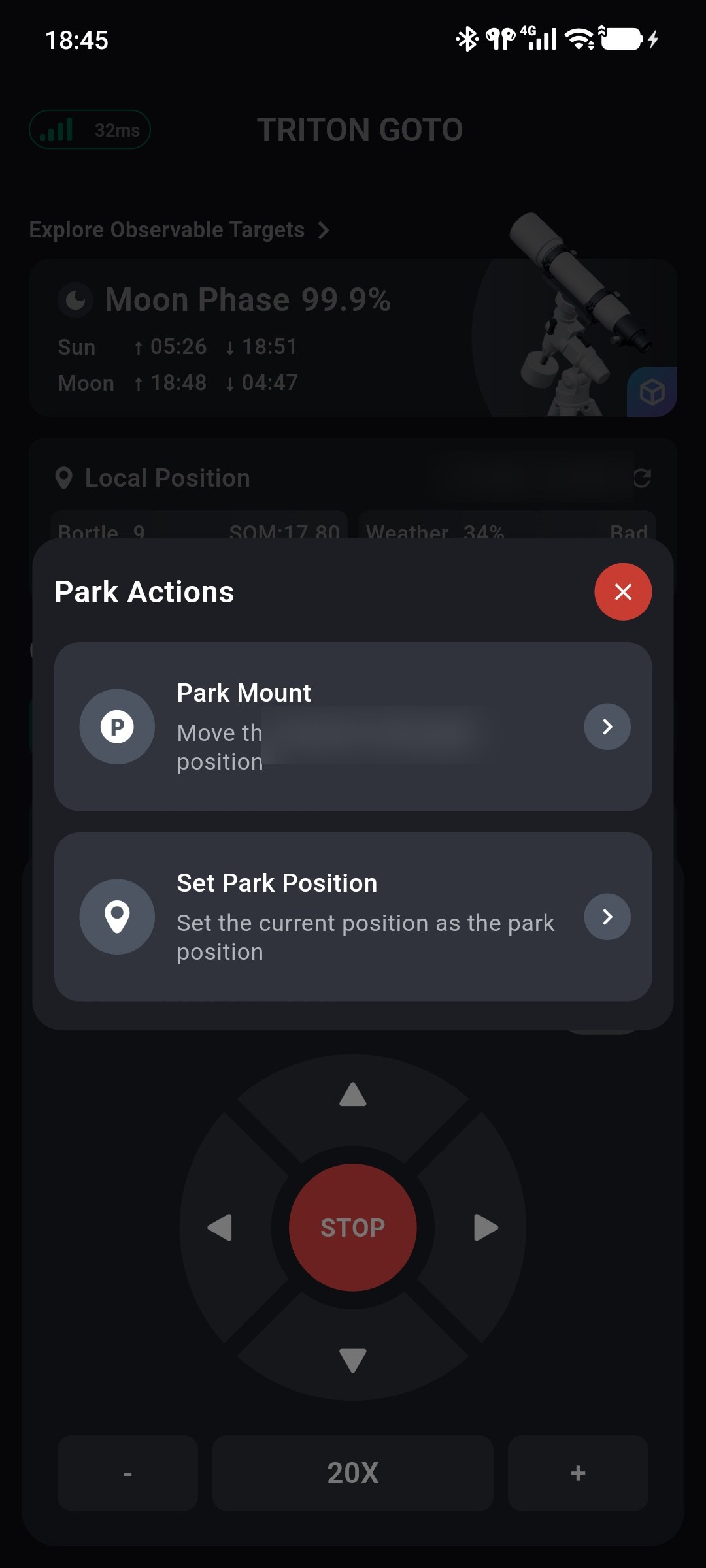
Tap Park to select:
- Park Mount: Automatically move to the park position.
- Unpark Mount: Release the parked state; shown when the mount is parked.
- Set Park Position: Set the current position as the new park position.
Home and park movement
Find Home and Park Mount slew the mount automatically. Confirm a safe movement path first and continuously observe the equipment until movement is complete.
Direction controls, tracking, and rate settings are unavailable while parked. To continue controlling the mount, select Park → Unpark Mount first.