
TRITON GOTO Smart Polar Alignment calculates polar error from Three-Star Alignment and reports the azimuth, altitude, and direction needed to adjust the mount base. The workflow does not require an optical polar scope, but a valid Three-Star Alignment must be completed first.
During alignment, adjust only the mount base's azimuth and altitude mechanisms. Motorized slewing or the App direction controls cannot replace the mechanical adjustment.
From the Alignment section of Setup & Alignment, select Smart Polar Alignment. The App switches to the Sky Chart in Smart Polar Alignment mode.
Before You Begin
Confirm that:
- ONSTEP is connected and not parked;
- Three-Star Alignment is complete;
- the mount base's azimuth and altitude adjusters operate normally;
- the optical tube, counterweights, and cables have adequate clearance during GOTO.
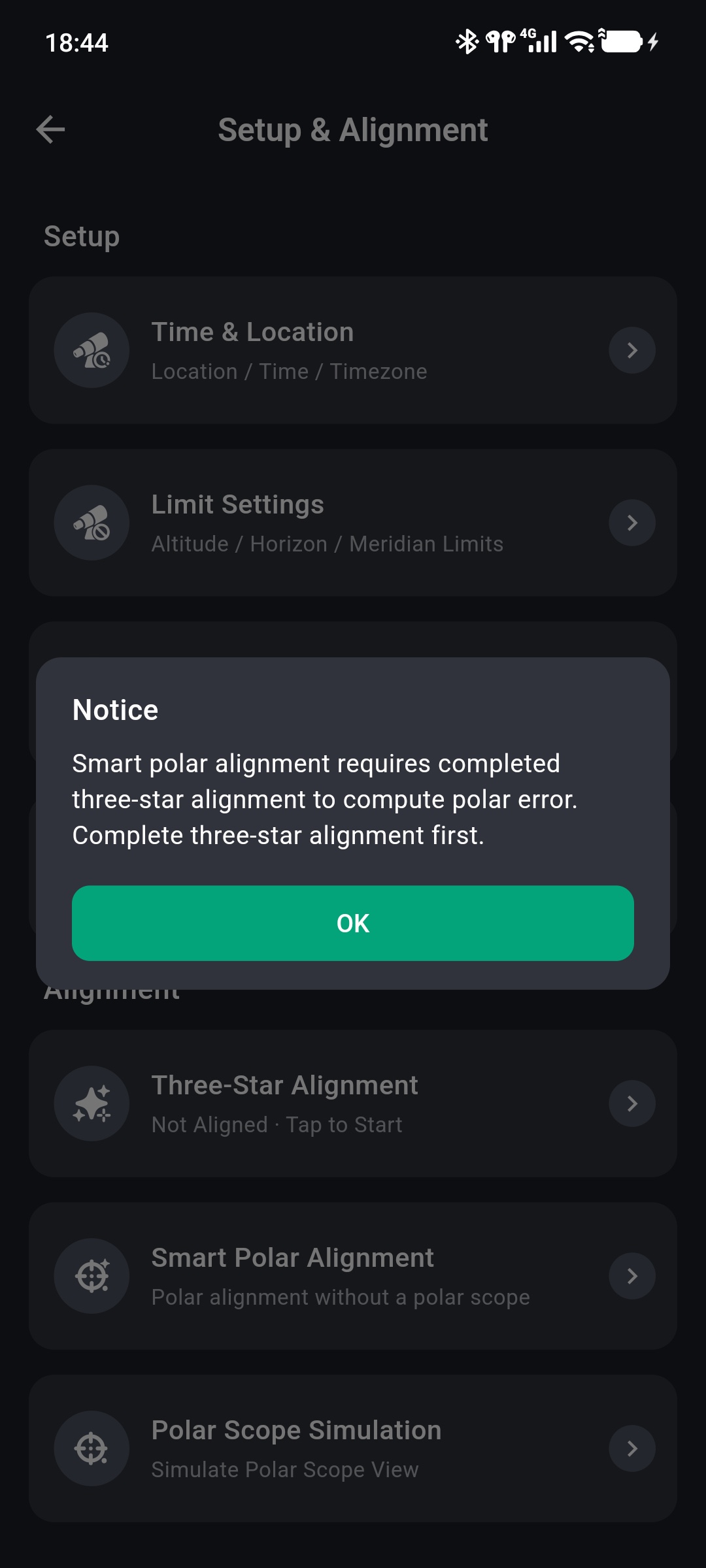
Without Three-Star Alignment, the App blocks entry and displays the following notice.
Smart Polar Alignment includes GOTO
Tapping GOTO automatically slews to the selected alignment star. Review Limit Settings and surrounding clearance first, and observe the mount until it stops.
Select an Alignment Star and Perform GOTO
The Smart Polar Alignment panel appears below the Sky Chart.
- Select a currently visible star that you can identify reliably.
- Confirm its name, RA, DEC, ALT, and AZ in the panel.
- Tap GOTO and wait for the mount to finish slewing.
- When GOTO complete. Tap Start Alignment. appears, tap Start Alignment.
Only stars are accepted as alignment targets. During GOTO, the action changes to Stop. Stop only if the movement path presents a risk, then restart the workflow after confirming safety.
Adjust the Polar Axis from the Error
After Start Alignment, the panel displays:
- Total Deviation;
- Altitude Offset and its adjustment direction;
- Azimuth Offset and its adjustment direction;
- a diagram showing the offset direction.
Use the base adjusters to move the alignment star according to the arrows and angles:
- Use the altitude adjuster for Altitude Offset.
- Use the azimuth adjuster for Azimuth Offset.
- Alternate small adjustments until the star is centered in the eyepiece or camera.
- Tap Finish Alignment, acknowledge completion, and exit Smart Polar Alignment mode.
Adjust only the mount base
Do not use the App direction controls or rotate the RA or DEC axes during this stage. Smart Polar Alignment changes the polar-axis direction through the base's azimuth and altitude adjusters; moving the optical tube with the motors does not correct polar error.
Before making small adjustments, confirm how the base locks operate. Do not force an adjuster while the base is fully locked or under abnormal load.
After Completion
Mechanical polar-axis adjustment changes the physical setup represented by the existing Three-Star Alignment model. For subsequent GOTO accuracy, return the mount to the correct home position and repeat Three-Star Alignment.
If the App says the polar alignment offset is already corrected when reopening the function, complete another Three-Star Alignment before recalculating polar error.
Abort and Troubleshoot
Exit Smart Polar Alignment
Selecting Exit Alignment warns that unfinished progress will be lost. After confirmation, select an alignment star and perform GOTO again.
GOTO Does Not Advance to the Next Stage
Confirm that movement has stopped and the connection remains active. If GOTO does not finish for an extended period, tap Stop, inspect limits, mount state, and target coordinates, then restart.
Error Data Cannot Be Read
Return to Setup & Alignment and confirm that Three-Star Alignment still displays Aligned. Then check the connection and location data. If the error remains unavailable, repeat Three-Star Alignment and try again.