

Home is the reference ONSTEP uses to calculate mount-axis positions and celestial coordinates. Depending on the hardware configuration, the mount can establish this reference from its power-on position, FRAM position memory, or mechanical home sensors. Park is a user-defined position for ending a session, storing the mount, or resuming operation later. Home and Park serve different purposes and are not interchangeable.
After connecting the mount, tap Home or Park from the manual control panel or 3D Telescope Preview to open the corresponding actions.
TIP
Find Home and Park Mount slew the mount automatically. Before proceeding, confirm that the optical tube, counterweights, and cables have a clear travel path. Continue monitoring the mount until movement is complete.
Distinguish the Three Home Types
How ONSTEP establishes Home depends on the controller and mount hardware:
- No electronic Home: During a cold startup, ONSTEP assumes that the mount's power-on position is Home. Manually place the mount at the correct home orientation before every startup. If it is powered on at the wrong position, subsequent coordinates and GOTO operations also use that incorrect reference.
- Electronic Home: The mount uses high-endurance FRAM to keep a record of the axis and pointing positions. At startup, ONSTEP can restore the pointing position from a complete, trusted record instead of simply treating the new power-on position as Home. Electronic Home depends on the drive-position record. Do not release the clutches or move the mount manually while it is powered off, or the FRAM record will no longer match the physical orientation.
- Mechanical home sensors: Home switches or sensors provide a repeatable, absolute home position. When Find Home is selected, ONSTEP searches for the sensors and establishes the axis-position reference again. Mechanical home sensors provide an absolute Home; they do not continuously record the absolute pointing position at every arbitrary orientation.
For a typical German equatorial mount, Home normally has the counterweight shaft pointing downward and the optical tube pointing toward the celestial pole. Follow the controller and mount instructions for other mount types.
Distinguish Home from the Park Position
- Home position: Used for cold startup, axis positions, coordinate calculations, and alignment. A mount with no electronic Home uses its power-on position, a mount with Electronic Home can restore position from FRAM, and a mount with mechanical home sensors can search for an absolute Home.
- Park position: Defined by the user, usually at an orientation suitable for storage, shutdown, or resuming a later session. Parking can preserve the parked state and pointing model, but it does not change which Home source the mount uses.
Electronic Home can restore the pointing position after a power interruption, but it does not replace normal parking. When ending a planned observing session, park the mount first so that the parked state and current pointing model are saved.
Find or Reset Home
Tap Home to select Find Home or Reset Home.
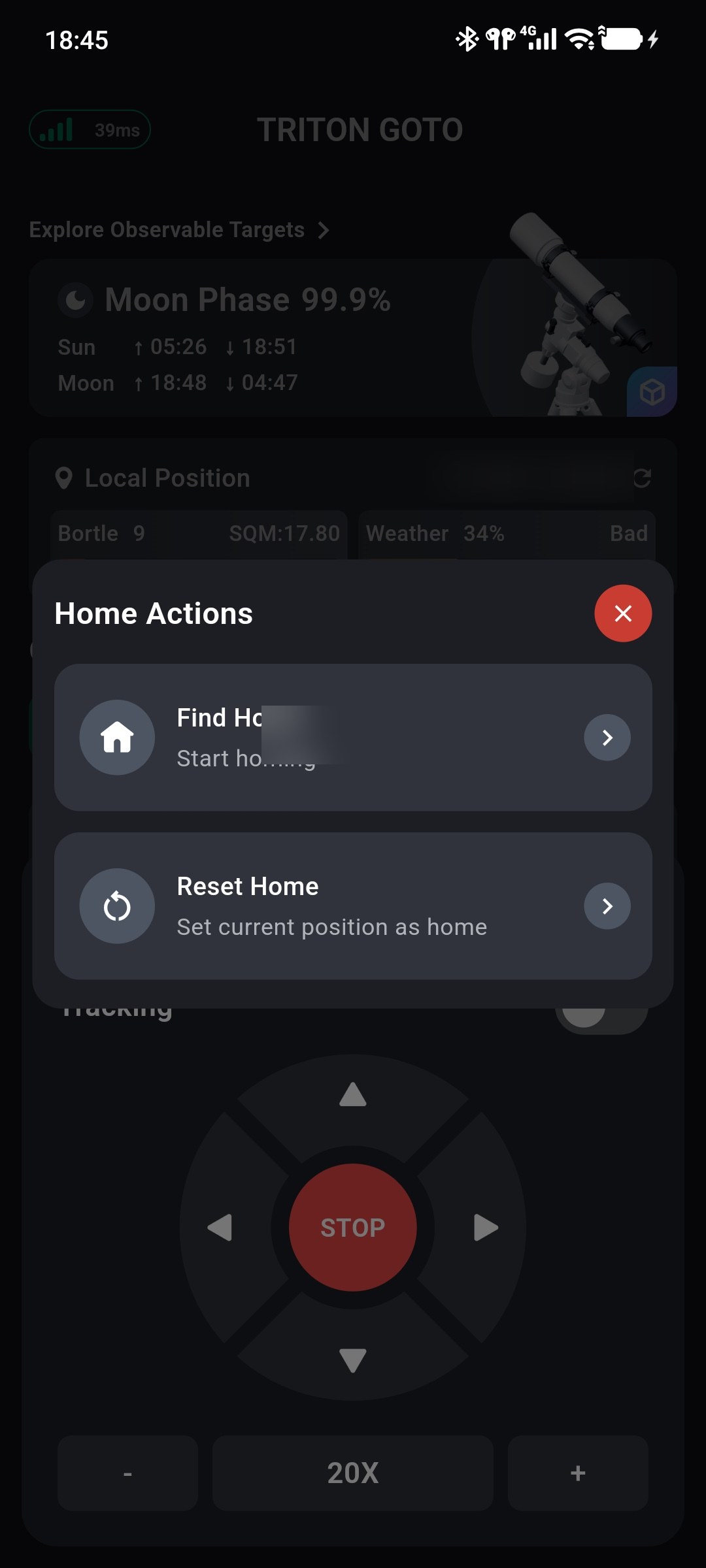
Find Home
Find Home slews the mount to the home position currently recorded by ONSTEP and disables tracking when the operation is complete.
- With mechanical home sensors, ONSTEP searches for the sensors and establishes the absolute home position again. Depending on the firmware and sensor configuration, the existing pointing model may need to be verified or rebuilt.
- With Electronic Home and a valid FRAM position record, ONSTEP returns to Home from the restored axis position.
- With neither Electronic Home nor mechanical home sensors, ONSTEP returns to the cold-start Home using the axis movement accumulated since power-on. If the mount was powered on at the wrong position or moved manually while powered off, the result will also be inaccurate.
After finding Home, repeat Three-Star Alignment if the physical mount orientation does not match Home or the previous pointing model is no longer valid.
Reset Home
Reset Home confirms that the mount's current position is the Home defined by the ONSTEP configuration, then reinitializes the mount as it would during a cold startup. It does not define an arbitrary new mechanical home position. Manually place the mount at its correct home orientation before using this action.
After Reset Home:
- tracking is disabled;
- the active pointing model is cleared;
- the parked or park-failed state is cleared, but the saved park position is retained;
- Three-Star Alignment must be repeated before relying on precise GOTO positioning.
TIP
Do not use Reset Home to correct ordinary GOTO error. Use it only when the mount is physically at its correct mechanical home position but ONSTEP's position record is incorrect, or when recovering from a park-failed state.
Set, Enter, and Leave the Parked State
Tap Park to set the park position, slew the mount to it, or leave an active parked state.
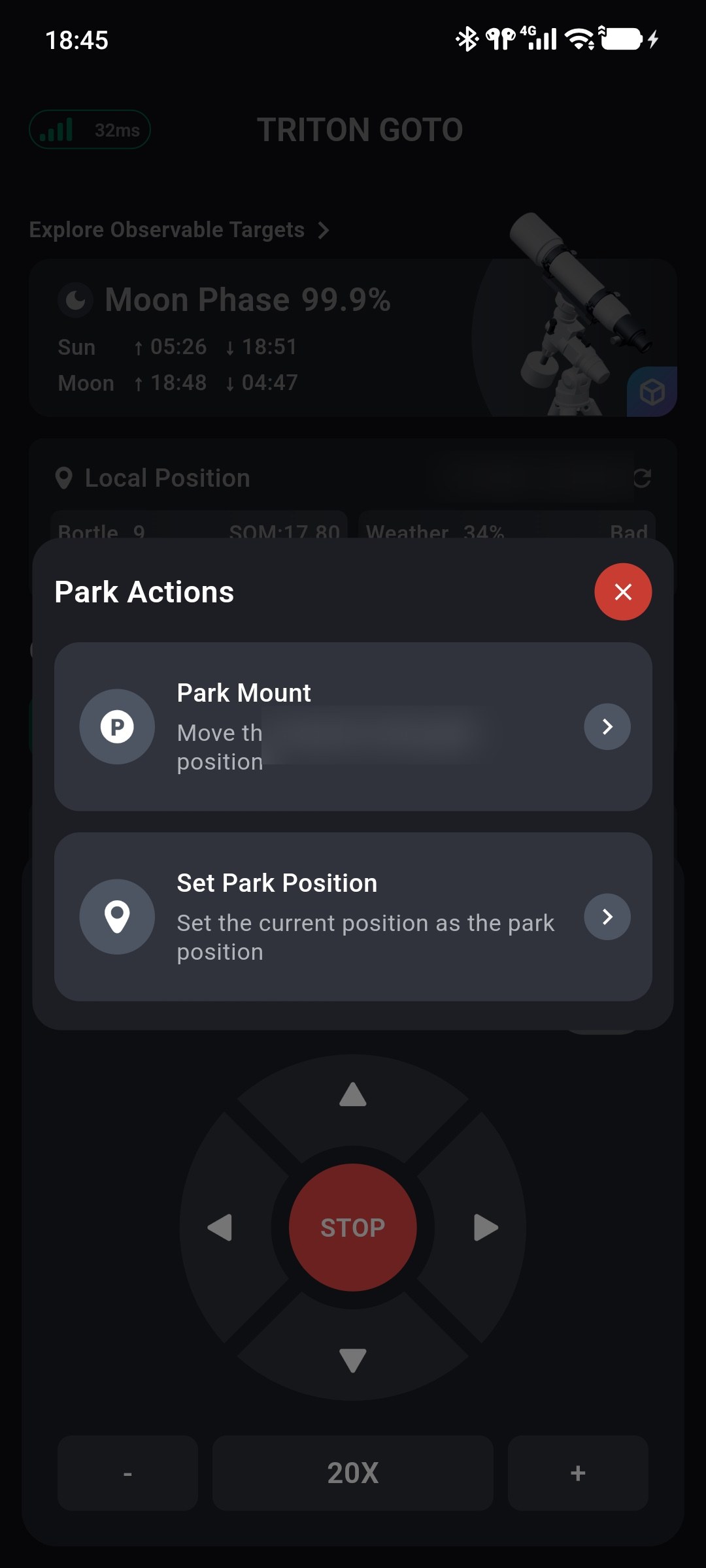
Set the Park Position
When using parking for the first time or changing the storage orientation:
- Confirm that mount time, location, and Home are correct, then complete the Three-Star Alignment that you want to preserve.
- Move the mount safely to the desired parked orientation.
- Select Park → Set Park Position to save the current position.
Setting the park position does not slew the mount. Do not select a position where the optical tube, counterweights, or cables can collide during parking.
Park the Mount
After selecting Park → Park Mount, the mount slews automatically to the saved park position. When parking completes, ONSTEP stores the parked state and current pointing model, then stops normal mount control.
While parked, the App's direction controls, tracking, and rate settings are unavailable. Confirm that parking has completed before powering off according to the mount instructions. Do not disconnect power while the mount is moving to the park position.
Unpark the Mount
When the mount is parked, select Park → Unpark Mount to resume normal control. Before unparking, confirm that:
- the mount has not been moved manually since parking; when Electronic Home is used, the FRAM record still matches the physical position;
- the mount's date, time, and location are correct;
- the optical tube, counterweights, and cables remain in a safe state.
After a successful unpark, ONSTEP normally restores the saved pointing model and enables tracking. If the mount was moved manually while powered off, neither the Electronic Home FRAM record nor the previous parked state still represents its physical position. A mount with mechanical home sensors should run Find Home again. A mount without mechanical home sensors should be moved manually to the correct home position, followed by Reset Home and a new alignment.
If an Operation Fails
If a Home or Park action fails to send, check in order:
- the App is still connected to the mount;
- the mount is not performing a GOTO, guide movement, homing operation, or another slew;
- its time, location, and home-position record are valid;
- no limit or motor fault is active;
- a park position has been saved successfully.
If power is lost during parking, the mount encounters an obstruction, or the park-failed state persists, do not repeatedly send the park command. Stop and inspect the physical mount orientation first. When safe recovery is possible, return the mount to its correct home position and use Reset Home to clear the failed state. If the mount position is uncertain, follow the recovery procedure supplied by the controller or mount vendor.